Nanit vs. Owlet: Which Monitoring Setup Fits Your Family?
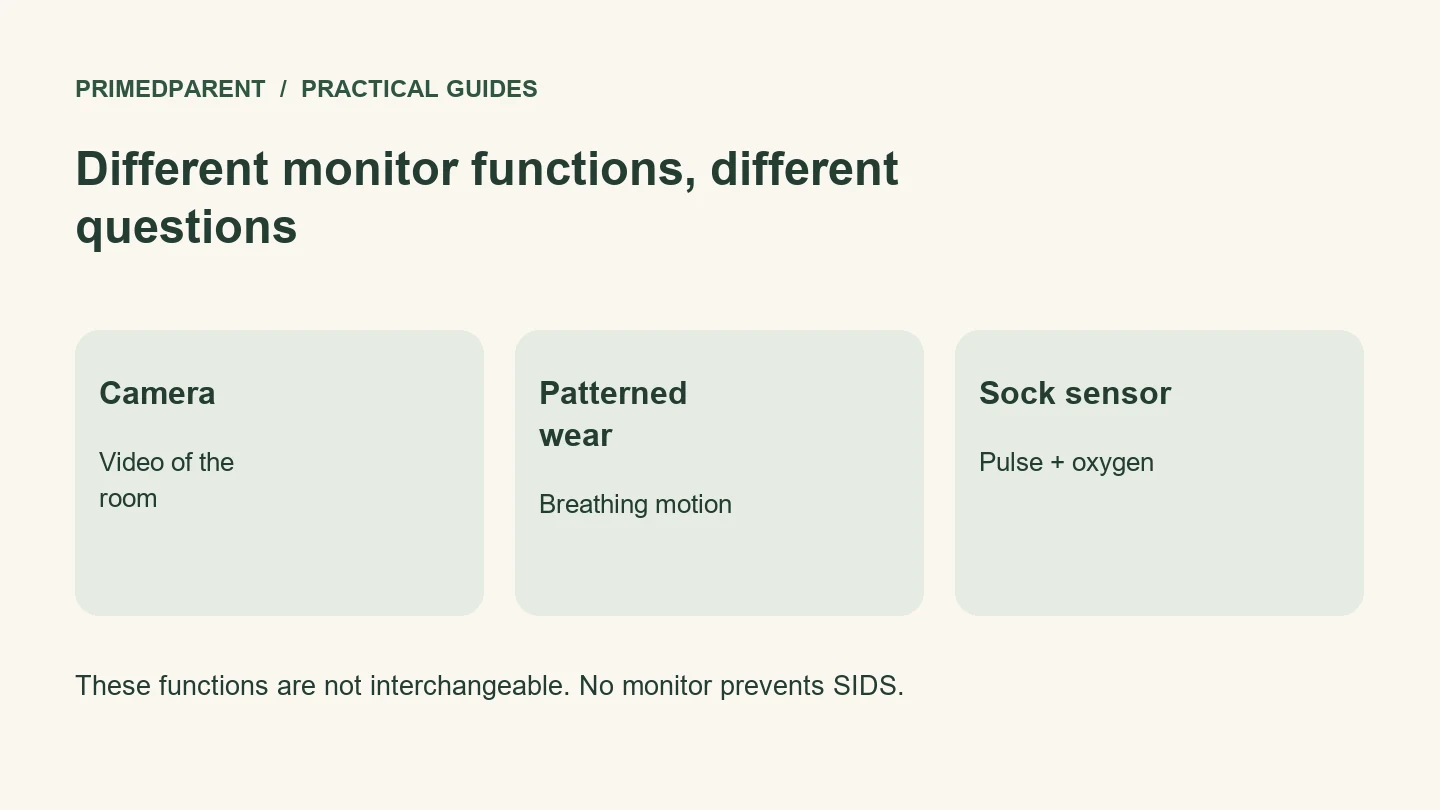
Nanit Pro is a camera-based monitor that can track breathing motion with compatible patterned Breathing Wear. Owlet Dream Sock is a foot-worn device that measures pulse rate and oxygen saturation within its U.S. labeling; Dream Sight is a separate video camera. Neither setup replaces safe sleep practices or guarantees a baby’s safety. The better fit depends on which functions you need, your child’s eligibility, your caregiver alert needs and the routine you can use correctly.
This guide compares the Nanit Pro camera with compatible Breathing Wear, the U.S. Owlet Dream Sock, and the Owlet Dream Sight camera. We also explain Dream Duo, the bundle that combines Owlet’s sock and camera. Features and regulatory labeling can differ by country, model and app version. This is a documentation-based comparison; we have not tested these products side by side.
Start by comparing the right products
A Dream Sock on its own is not a video camera. Owlet’s current Dream Duo FAQ identifies its bundle as Dream Sock plus Dream Sight, with video up to 2K, night vision and two-way audio. An older listing featuring Owlet Cam or Cam 2 is a different camera package. Check the exact contents rather than relying on the words “Owlet monitor.” Owlet Dream Duo FAQ
Nanit’s breathing feature uses its camera to observe a specially patterned garment or band. “Sensor-free” means that the Breathing Wear has no electronic sensor; it does not mean that breathing-motion tracking works with any ordinary pajamas. The camera follows the pattern’s movement. A motion alert means the system did not detect the expected movement. It cannot tell you whether the baby stopped breathing. Check the baby directly and follow the manufacturer’s instructions. Nanit Red Alert guidance Nanit breathing-motion explanation
| Question | Nanit Pro + compatible Breathing Wear | Dream Sock | Dream Sight / Dream Duo |
|---|---|---|---|
| What is the core setup? | Camera, appropriate mount and app; patterned wear for breathing motion | Foot-worn sensor, fabric sock, base station and app | Camera; Dream Duo adds Dream Sock |
| Can you see your baby? | Yes, through the camera | No camera included in Sock alone | Yes |
| What is the important measurement distinction? | Breathing motion, not blood oxygen or pulse rate | Pulse rate and oxygen saturation within its U.S. labeling | Camera functions are separate from Sock measurements |
| What changes the daily routine? | Camera positioning and compatible clothing if using breathing motion | Correct sock placement, charging and base-station use | Camera positioning; Duo also needs the Sock routine |
| What should you compare beyond the box? | Mount, clothing, plan features and caregiver access | Eligibility, notifications, fit and app requirements | Exact camera generation, storage and optional plan features |
The table compares functions, not clinical accuracy or connection reliability. A feature list cannot establish how well a device will work in your nursery.
Understand the safety limits first
The FDA’s U.S. Dream Sock authorization covers healthy infants aged 1–18 months weighing 6–30 pounds. It is not intended for infants with diagnosed cardiovascular or respiratory conditions, and does not detect, diagnose or reduce SIDS/SUID. Notifications are not guaranteed for every episode. FDA Dream Sock review
Breathing-motion tracking should not be treated as a medical diagnosis or a guarantee of a baby’s safety. Do not describe Nanit’s motion calculation as equivalent to pulse oximetry. FDA guidance on infant-monitor limitations
The AAP advises against using home cardiorespiratory monitors to reduce SIDS risk. For every sleep, place the baby on their back on a firm, flat, noninclined infant sleep surface. Use a fitted sheet and keep loose bedding and soft objects out. NICHD safe-sleep guidance
If your child has a medical condition or a clinician has recommended monitoring, ask that clinician which equipment and response plan are appropriate. Do not replace prescribed care with a shopping comparison. If your baby appears unwell, respond to the baby rather than waiting for an app reading to change.
Check the setup you will actually use
Think through bedtime, overnight checks and mornings. Would you reliably fit and charge a sock? Would you use compatible Breathing Wear regularly? Can every caregiver follow the instructions without depending on one person’s phone?
For Nanit, confirm which mount and camera position support the features you want. Current Nanit documentation says breathing-motion monitoring is available with the Anywhere Stand (formerly Flex Stand), while recommending overhead mounting for nightly use. Do not assume every mount provides identical sleep analytics. Nanit Breathing Wear FAQ
For Dream Sock, distinguish the sensor-to-base connection from the base-to-app connection. Owlet specifies a 2.4 GHz Wi-Fi network for Dream Sock’s app connection; networks with browser-based login, such as many hotel networks, are unsuitable. A camera’s network specification does not automatically apply to the Sock. Owlet network requirements
Ask each manufacturer what remains available during an internet outage, router failure, phone disconnection or power loss. These are separate situations. Do not assume an app alert will arrive because a camera or sensor still has power.
Place equipment and cords according to the installation instructions. CPSC advises keeping monitor cords at least three feet from any part of the sleep space and out of children’s reach; never place a monitor inside or on the edge of a crib. CPSC cord-safety alert
What works without a subscription—and what needs checking?
Write down the functions you would use before comparing the ongoing cost. Live viewing, recording history, downloadable clips, sleep reports and extra caregiver access are separate features.
Manufacturer support pages and sales pages do not always agree on exact plan allowances. We are not presenting disputed caregiver limits, recording-retention periods, trial lengths or renewal prices as settled facts. Check the exact U.S. product, plan and purchase offer before paying; camera clips, saved memories and physiological data are different kinds of records.
Nanit lists live viewing and several other features without a subscription. Confirm the current plan requirements for breathing-motion monitoring, recording history and caregiver access before purchasing; this guide does not promise a particular paid feature remains available after cancellation. Nanit feature and subscription information
Owlet says its apps are free, with additional features for subscribers. That statement does not mean every camera recording feature is included forever. Before purchasing, identify the free features, trial end date, renewal terms and what stops working if you cancel. Compare the complete intended setup, including any camera, mount and replacement wear you need. Avoid buying optional analytics simply because a trial includes them.
Check accessibility and caregiver access
A visible notification is not automatically an overnight alert you will notice. Ask about phone vibration, screen flashes, lock-screen behavior and compatibility with any assistive alerting equipment you already use. Do not assume that a smartwatch or vibrating phone is a dedicated wake-up system.
This is especially important for Deaf or hard-of-hearing caregivers: Owlet identifies its base station as the main notification source and instructs users to keep it within audible range rather than rely on the mobile device. Clarify an appropriate accessible arrangement with the manufacturer before buying. Owlet Dream Sock overview and notification warnings
Also check supported phone versions, caregiver permissions, account removal and how recordings are deleted. Make sure a babysitter can use the necessary functions without receiving unnecessary access to your household’s history.
Which setup fits your needs—and when is a simpler monitor enough?
Consider Nanit Pro if your main goal is a camera-centered routine with optional sleep analysis. Decide whether patterned clothing and the chosen mounting arrangement suit your family. Do not buy it expecting blood-oxygen readings.
Consider Dream Sock if you specifically want its labeled physiological measurements, your child meets the product’s eligibility criteria, and you understand its limitations. Add a camera only if you also want video; inspect whether the listing includes Dream Sight or an older model.
Consider a simpler monitor if you mainly need to hear or see your baby nearby. Neither of these systems is an essential purchase for every family. If additional readings would lead to repeated checking or worry, discuss those concerns with your child’s clinician before committing to more monitoring.
Questions to settle before buying
Is one universally better? No. Choose the functions you need, the setup you can use correctly and the ongoing costs you accept. We do not have comparative testing that establishes a universal winner.
Can I use both? They perform different tasks, but owning both also adds charging, setup, apps and notifications. First identify the particular gap that a second purchase would fill.
What should I do during the return window? Follow the setup instructions, learn the notification meanings and confirm access for your caregivers. Check ordinary use in the intended room. Do not obstruct breathing, deliberately alter oxygen levels or attempt to trigger a health alert on your baby.
Sources reviewed November 10, 2026. General information based on published guidance; no hands-on product testing or professional endorsement is claimed.
For caregiver alerts that use vibration or visual signals, see our baby monitor guide for Deaf and hard-of-hearing parents.